A spotlight on your Quartz.NET jobs
A dashboard and API you add to the ASP.NET Core app already running your scheduler. List, create, edit, pause, run and delete jobs, and see what is running and what failed.
dotnet add package Cronlight.Quartz.Dashboard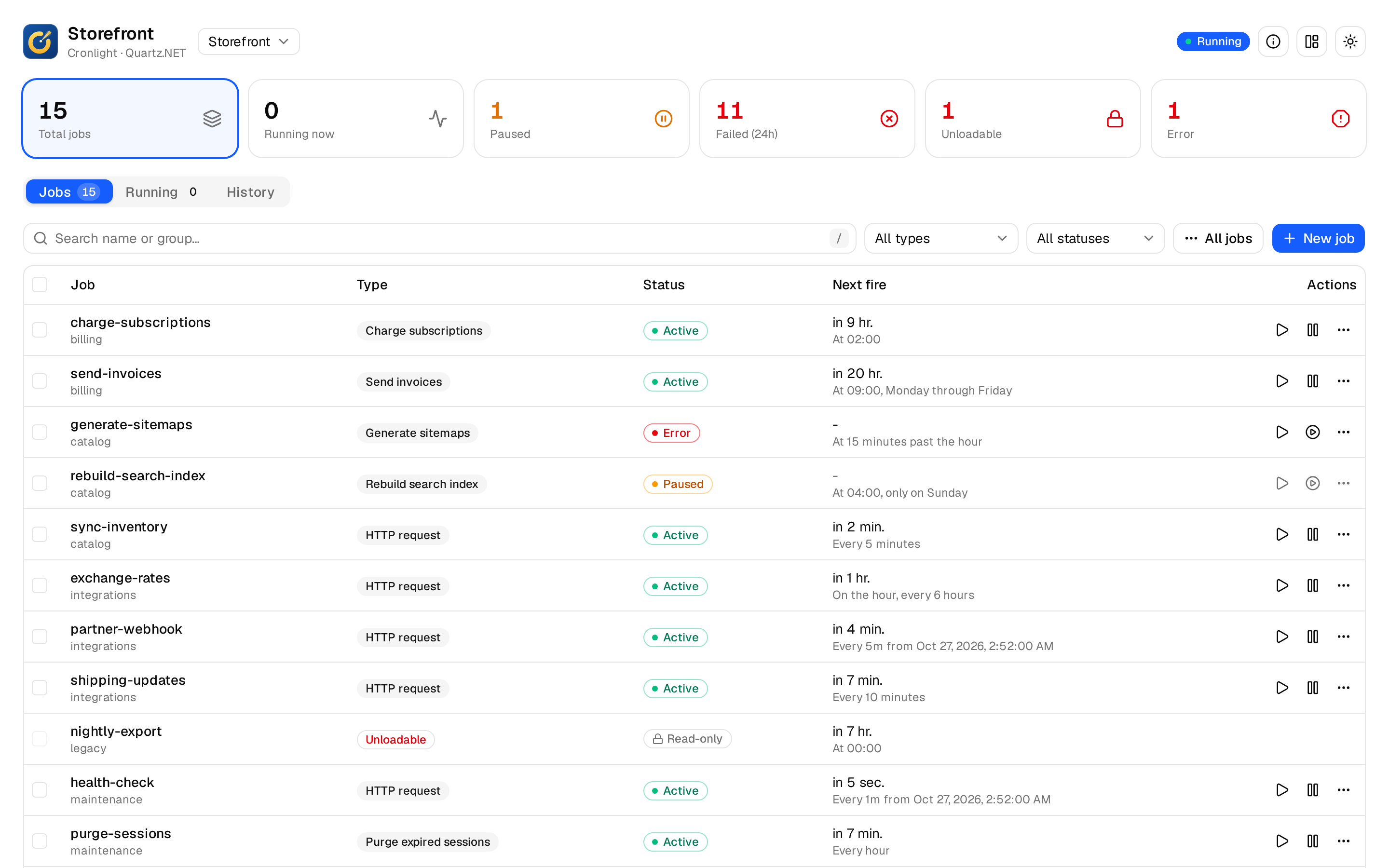
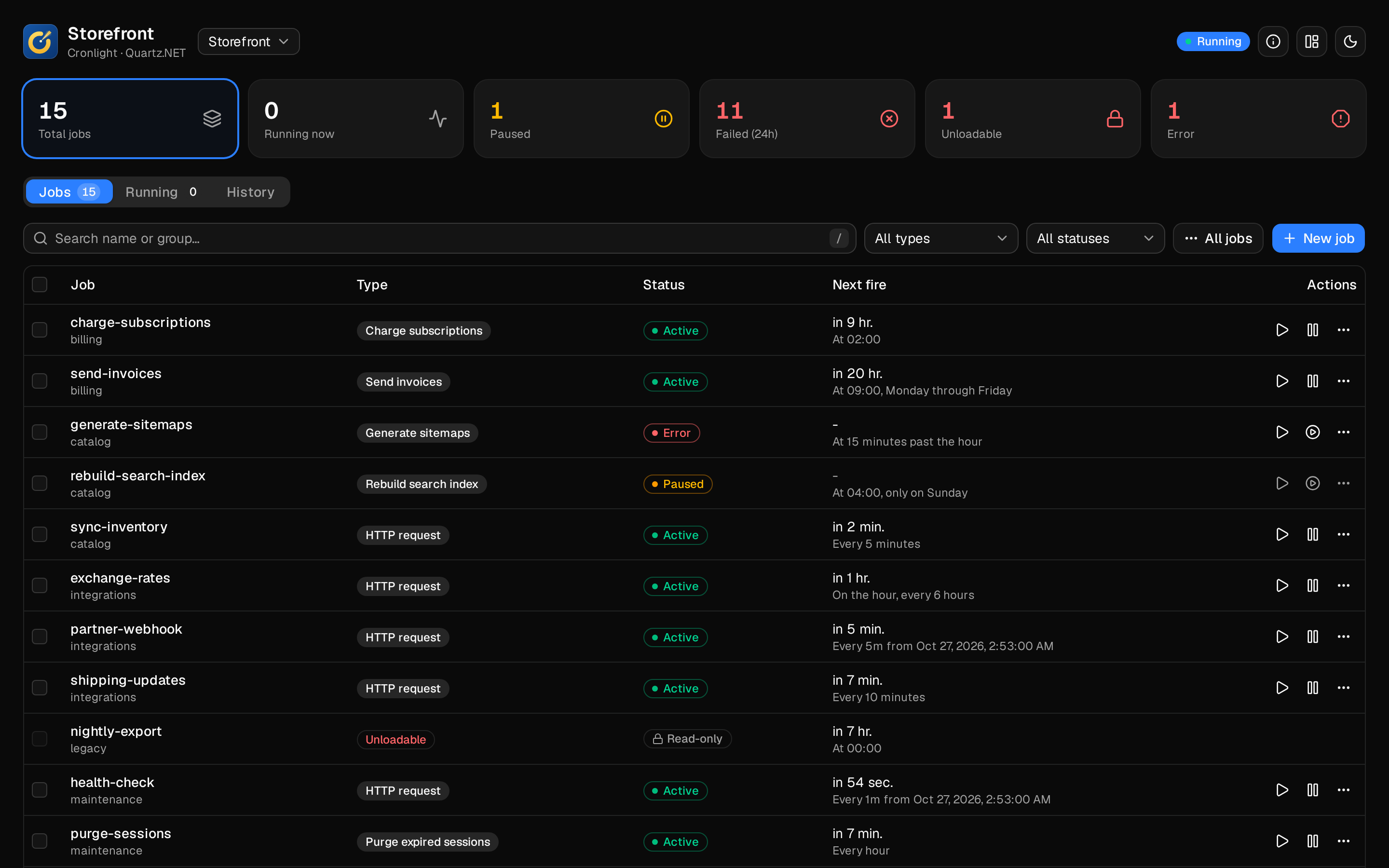
This is the live demo: the real dashboard, running in your browser against a simulated scheduler.
Quick start
Added to the app you already run
Keep your Quartz setup exactly as it is. Add Cronlight with the policies that may view and manage jobs, and map it under any path.
- 1
Install the package
And optionally the history package, for every run and what it logged.
- 2
Add Cronlight
With a view policy and a manage policy. Alerts, history and the health check are one line each.
- 3
Map it
Under any path, behind your authentication. The API is right next to it.
dotnet add package Cronlight.Quartz.Dashboard
dotnet add package Cronlight.Quartz.Dashboard.History   # optional: execution history
// 1. Your existing Quartz setup stays exactly as it is
builder.Services.AddQuartz(q =>
{
q.UsePersistentStore(s =>
{
s.UseProperties = true;
s.UseSqlServer(builder.Configuration.GetConnectionString("Quartz")!);
s.UseNewtonsoftJsonSerializer();
});
});
builder.Services.AddQuartzHostedService();
// 2. Add Cronlight, and the optional features you want
builder.Services.AddCronlight(o =>
{
o.ViewPolicy = "QuartzViewers"; // required outside Development
o.ManagePolicy = "QuartzAdmins"; // create, edit, pause, run and delete
});
builder.Services.AddCronlightHistory(); // execution history
builder.Services.AddCronlightAlerts(o => builder.Configuration.GetSection("CronlightAlerts").Bind(o)); // alerts
builder.Services.AddHealthChecks().AddCronlight(); // health check
var app = builder.Build();
app.UseAuthentication();
app.UseAuthorization();
// 3. Map it under any path
app.MapCronlight("/ops/jobs");Features
Everything you check on, in one place
Jobs
Search, filter and page through thousands of jobs; create and edit them with cron, one-time and interval triggers; pause or resume a job, a group or every job; run one now, or once with different data; cancel a run.
Job types
Attributes give your IJob types a name, a form with typed and required parameters, and masked secrets, which can be kept out of the database as references to configuration.
Execution historyoptional package
Every run with its outcome, error and what it logged, plus misfires and late starts.
Retries
Failed runs retried automatically, as set per job type or per job.
Alerts
Slack, Teams, webhook or email when a job fails, recovers or is stopped by Quartz.
Operations
An audit log of every change, OpenTelemetry metrics and a health check.
Several schedulers
In one app, each with its own permissions.
Setup, every option, and how each feature behaves.
Read the docsA closer look
From the job list to the line that failed
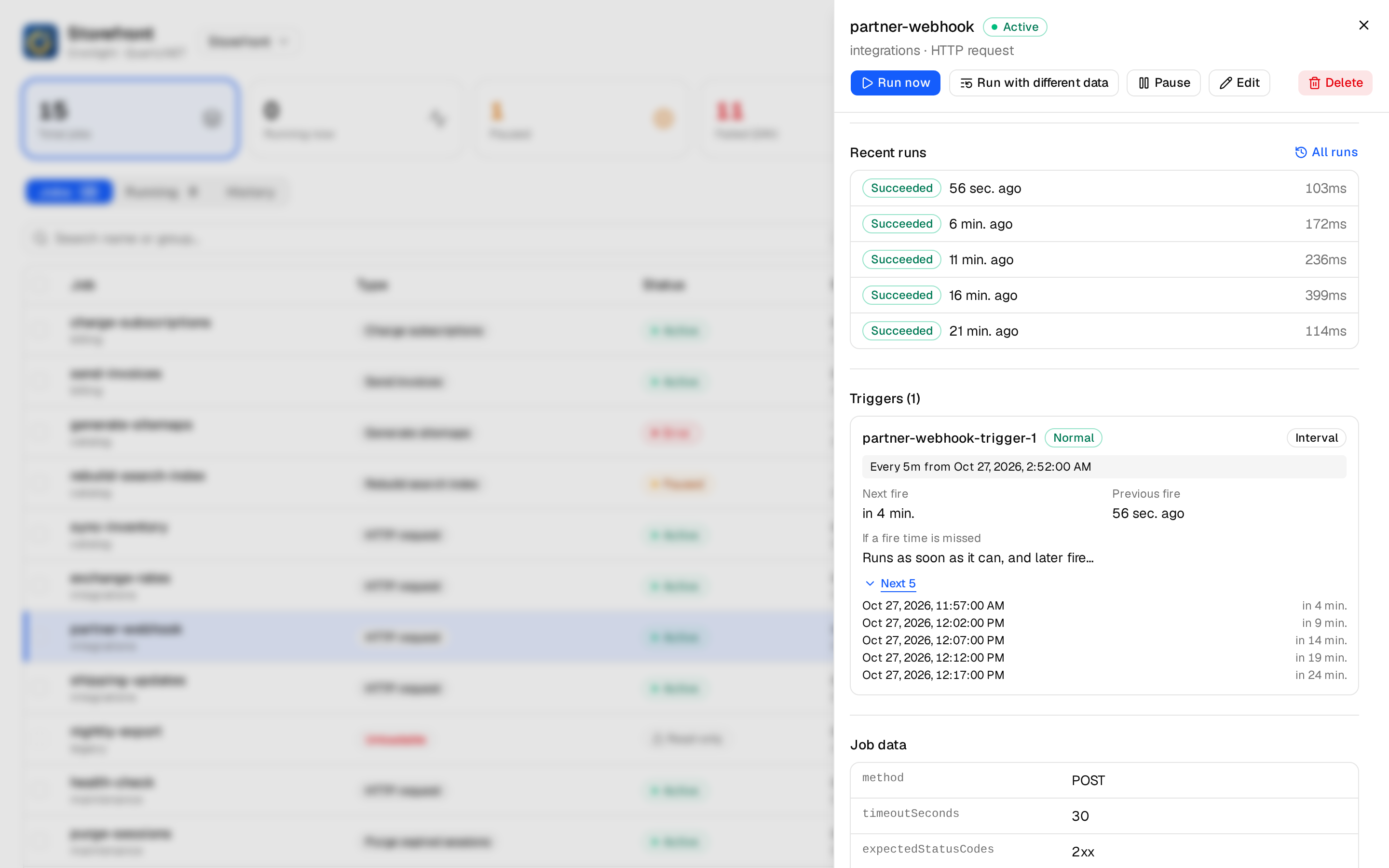
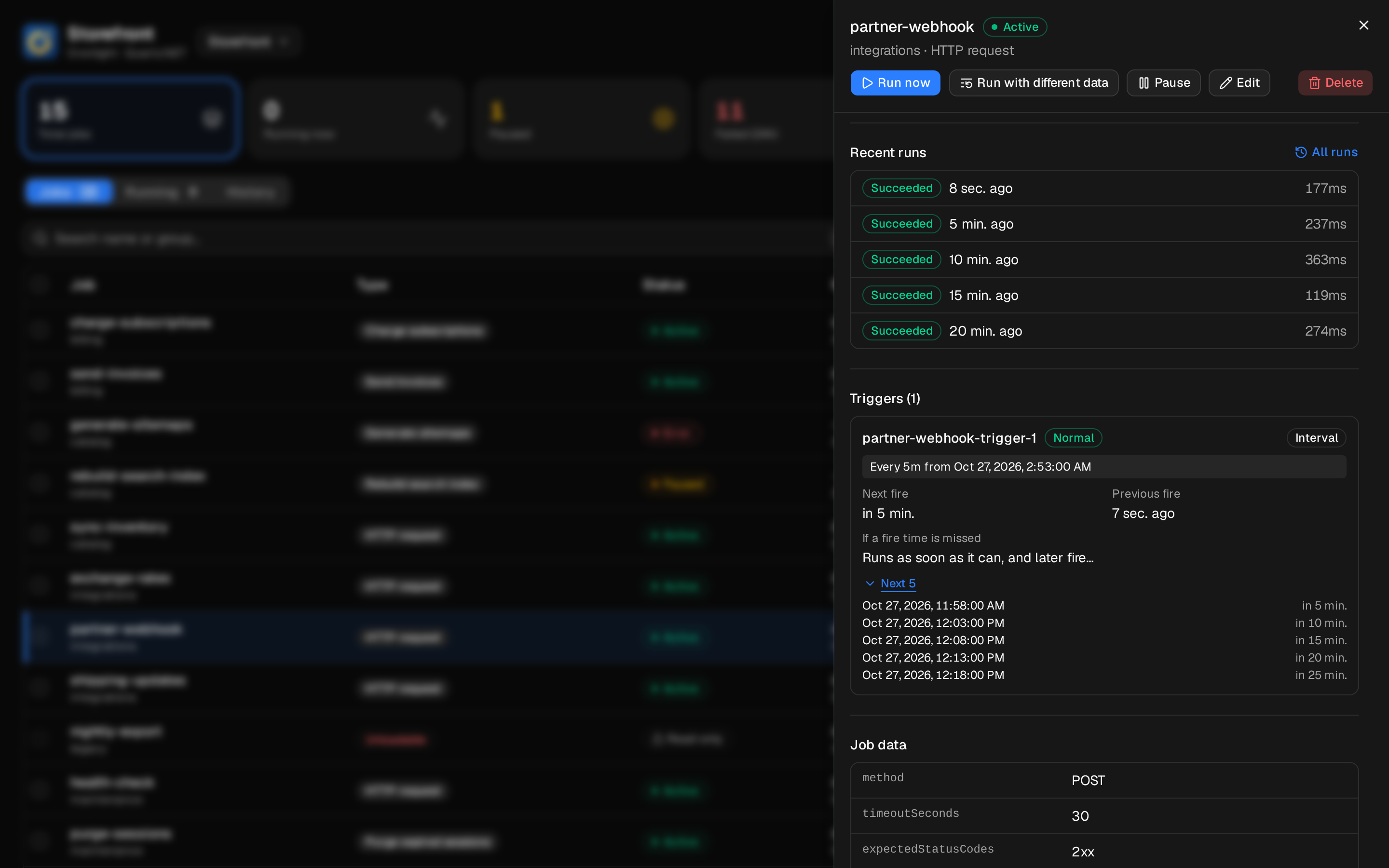
Every job, in detail
Recent runs, retry policy, triggers with their next fire times, and the job’s data with secrets masked.
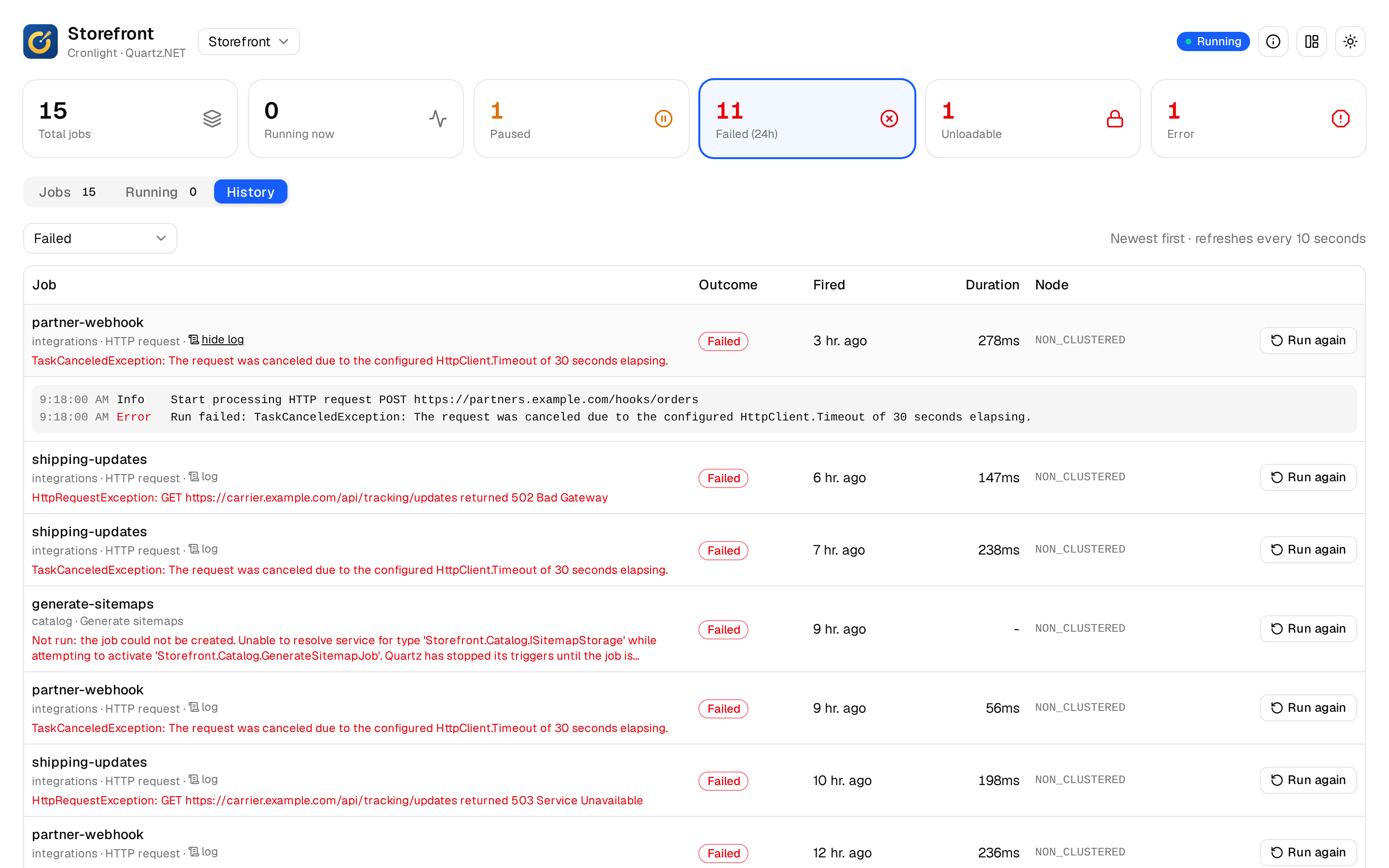
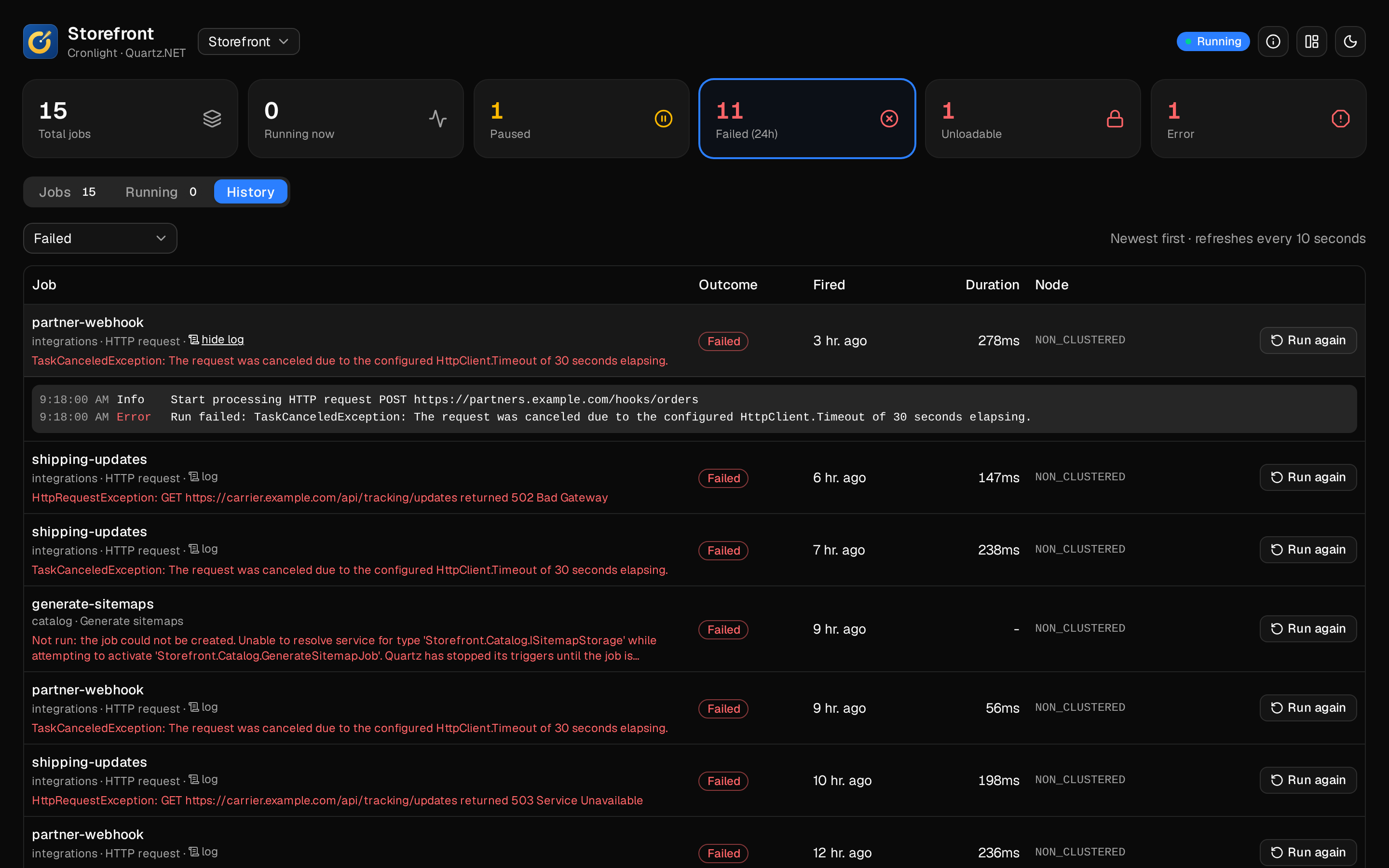
What ran, and what it logged
Every run with its outcome and error, misfires and late starts, and what the job logged while it ran.
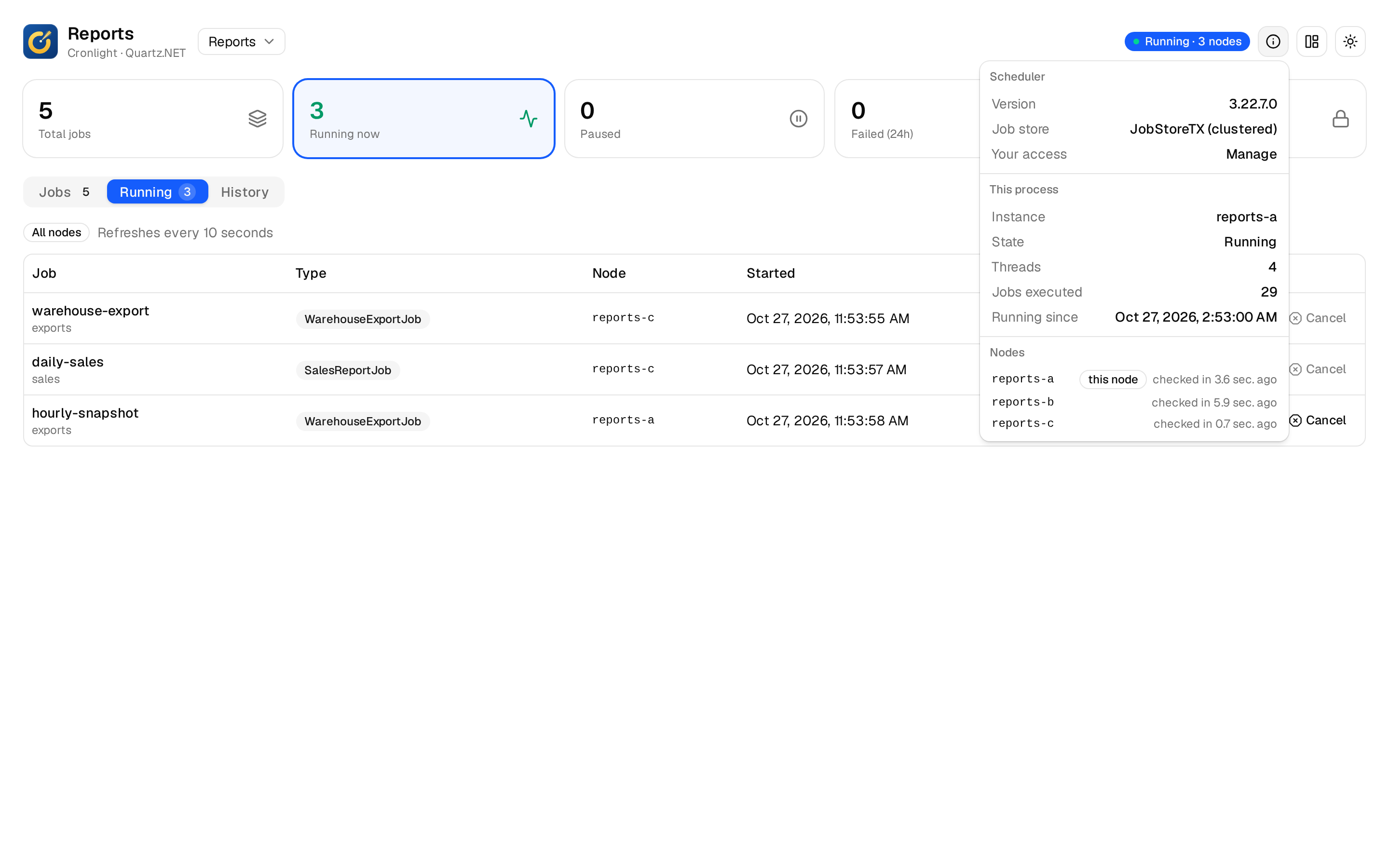
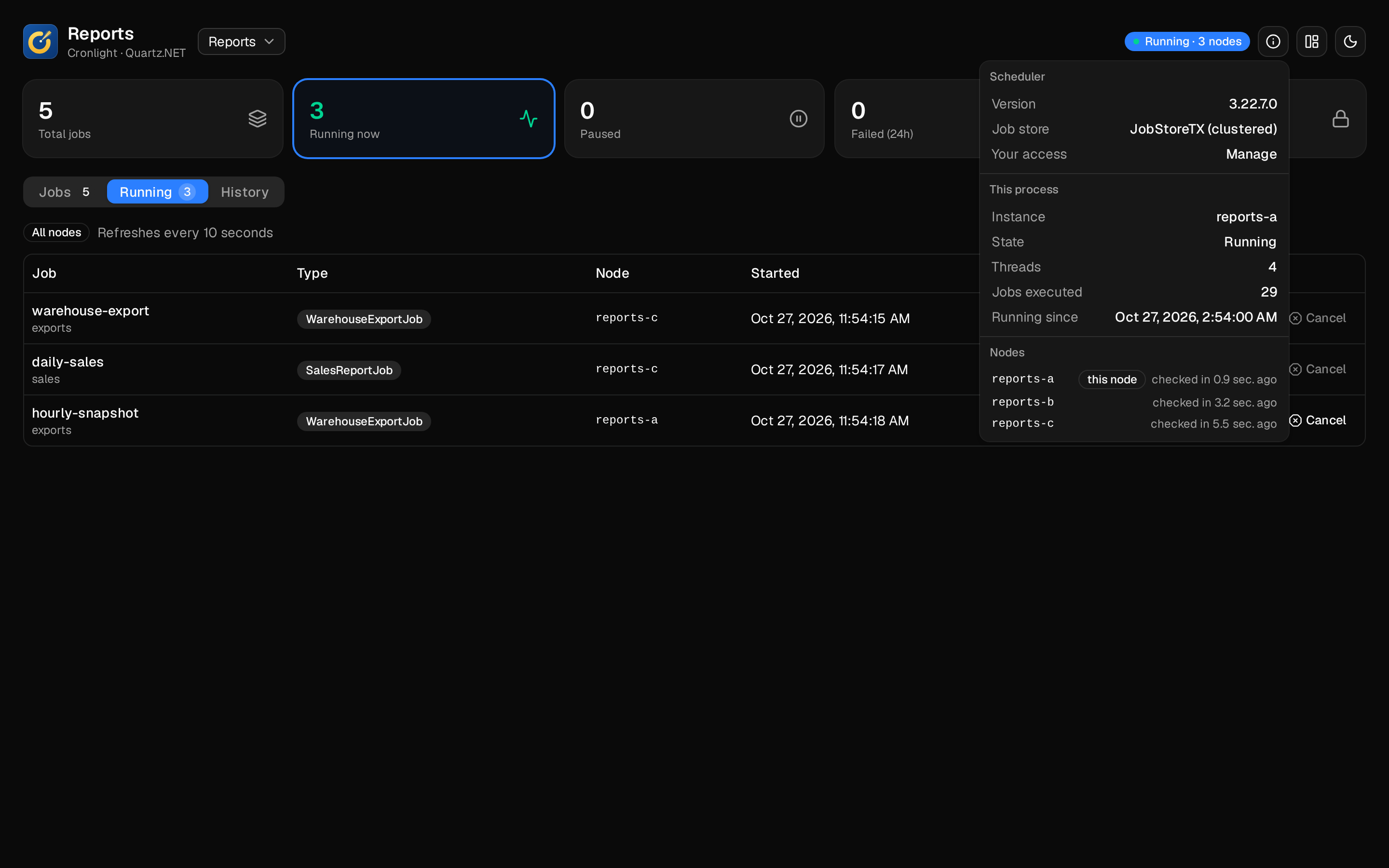
Clusters and several schedulers
Pick a scheduler in the header; a clustered one shows its nodes and which node ran what.
Built to fit in
A dashboard, not another scheduler
Your scheduler, as it is
Cronlight reads and drives the scheduler you set up with AddQuartz(). It never starts a second one, and needs no connection string or tables of its own.
Your sign-in, your policies
Viewing and managing are ASP.NET Core authorization policies, set per scheduler if you like. Outside Development, no policy means no access.
Careful with secrets
Secret parameters are masked everywhere, and can be references to configuration, so the value never reaches the Quartz tables.
Any job store
In memory or ADO.NET. History is kept in the Quartz database on SQL Server, PostgreSQL, MySQL or SQLite.
Requirements
- .NET
- ASP.NET Core 10 (
net10.0). Hosts on .NET 8 can use 0.1.0-beta.2 - Quartz.NET
- 3.13.1 or a later 3.x, set up with
AddQuartz(); tested on 3.22.7. Quartz 4 is not supported yet - Job store
- Any. Execution history is kept in the Quartz database on SQL Server, PostgreSQL, MySQL or SQLite, and in memory otherwise
See it on a real-looking scheduler
Pause jobs, run them with different data, cancel a run, read a failed run’s log. Nothing you do leaves your browser.