Screenshots
Taken from the live demo, in the theme you are reading this in. Switch it with the button at the top to see the other.
The job list
Search, filter by type and status, and page through thousands of jobs. Pause, resume or run one from its row, or select several. The counts across the top are for every job.
In the docs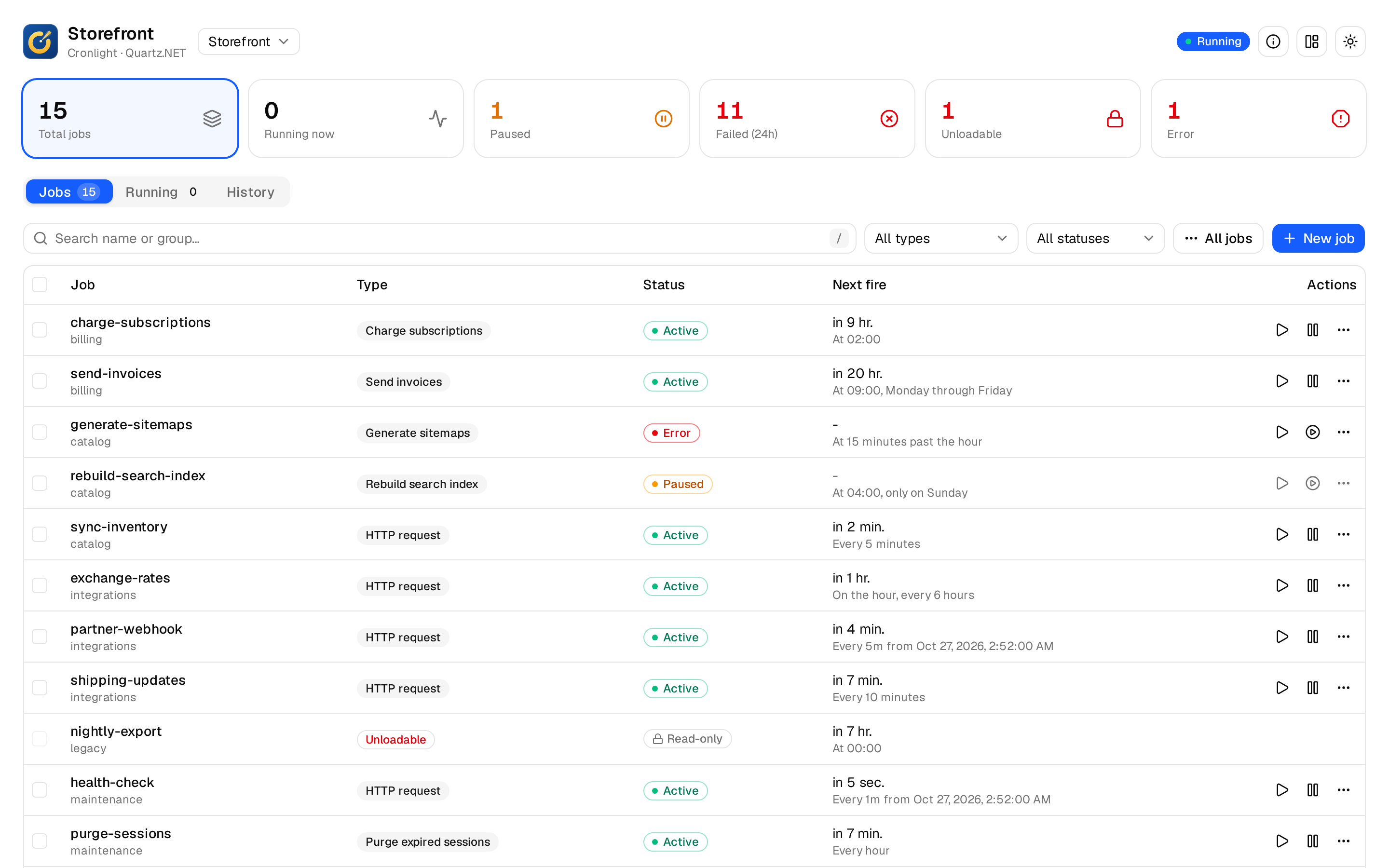
A job’s panel
Its type, retry policy and description, its recent runs, each trigger with what it does when a fire time is missed and its next five fire times, and its data with secrets masked.
In the docs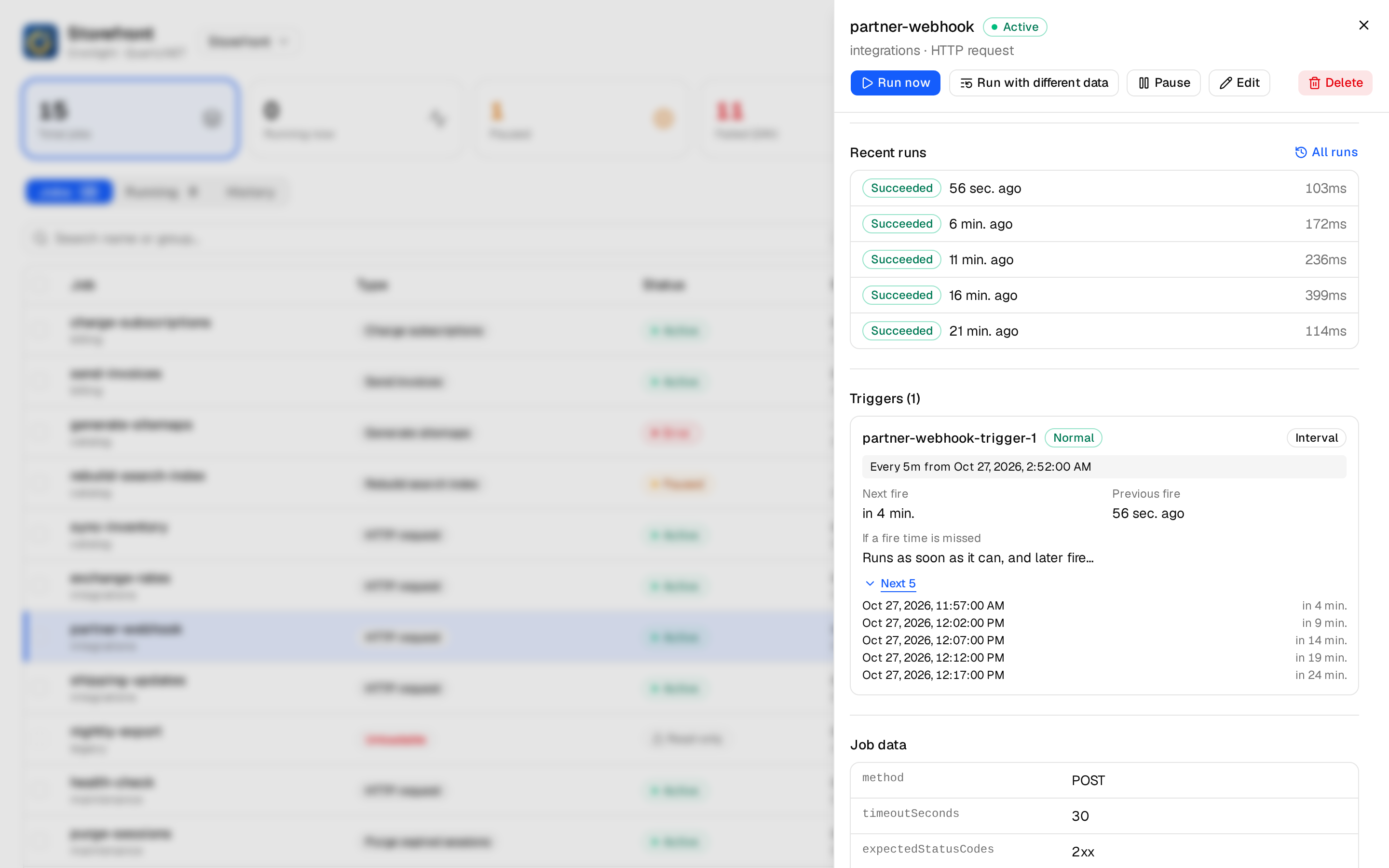
Editing triggers
Cron triggers with the schedule in words and the next fire times as you type, in any time zone; one-time and interval triggers too. A trigger’s calendar and priority are kept.
In the docs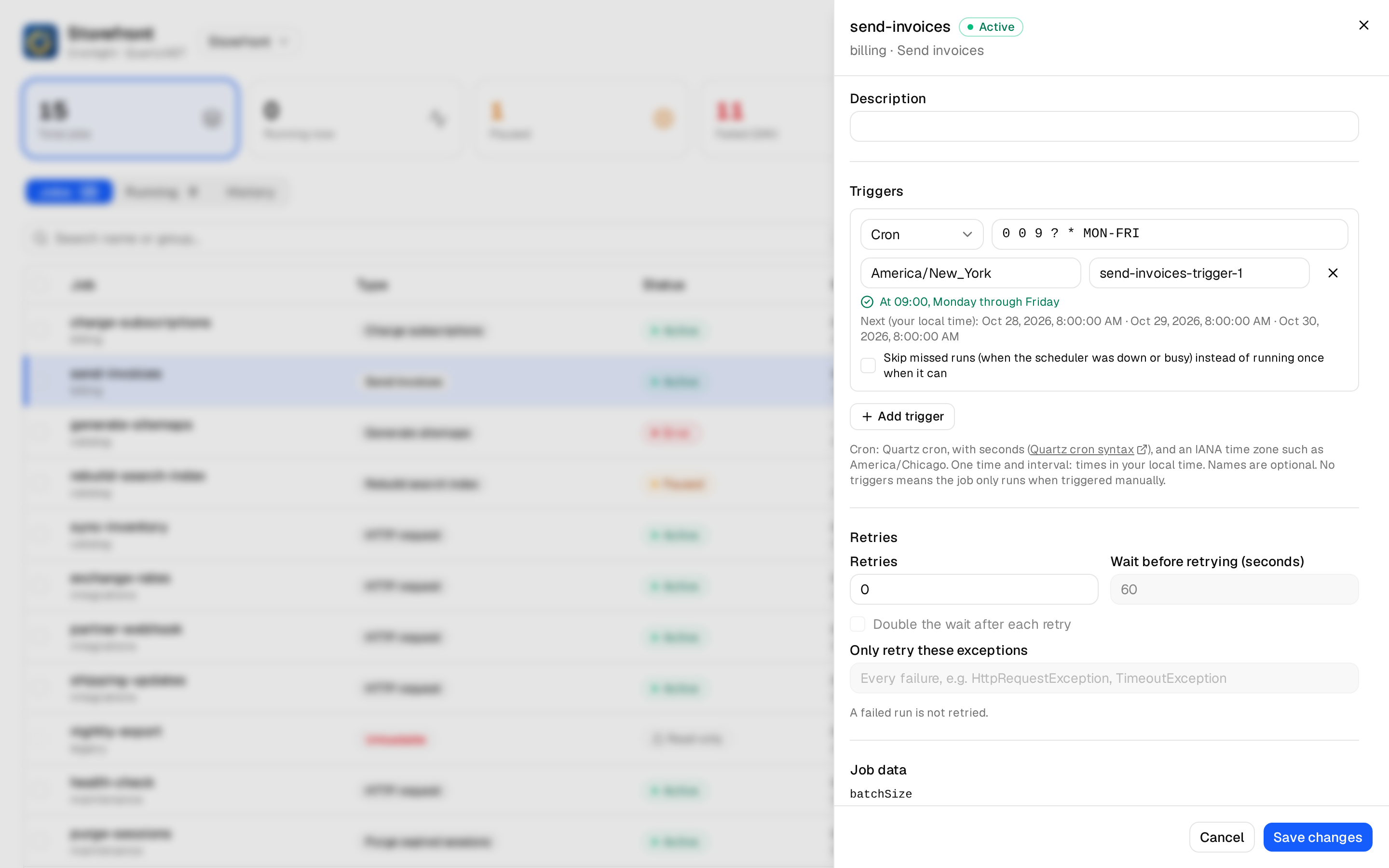
Creating a job
A form for each of your job types, from attributes on the IJob: typed, required and secret parameters, choices, and the retry policy new jobs start with.
In the docs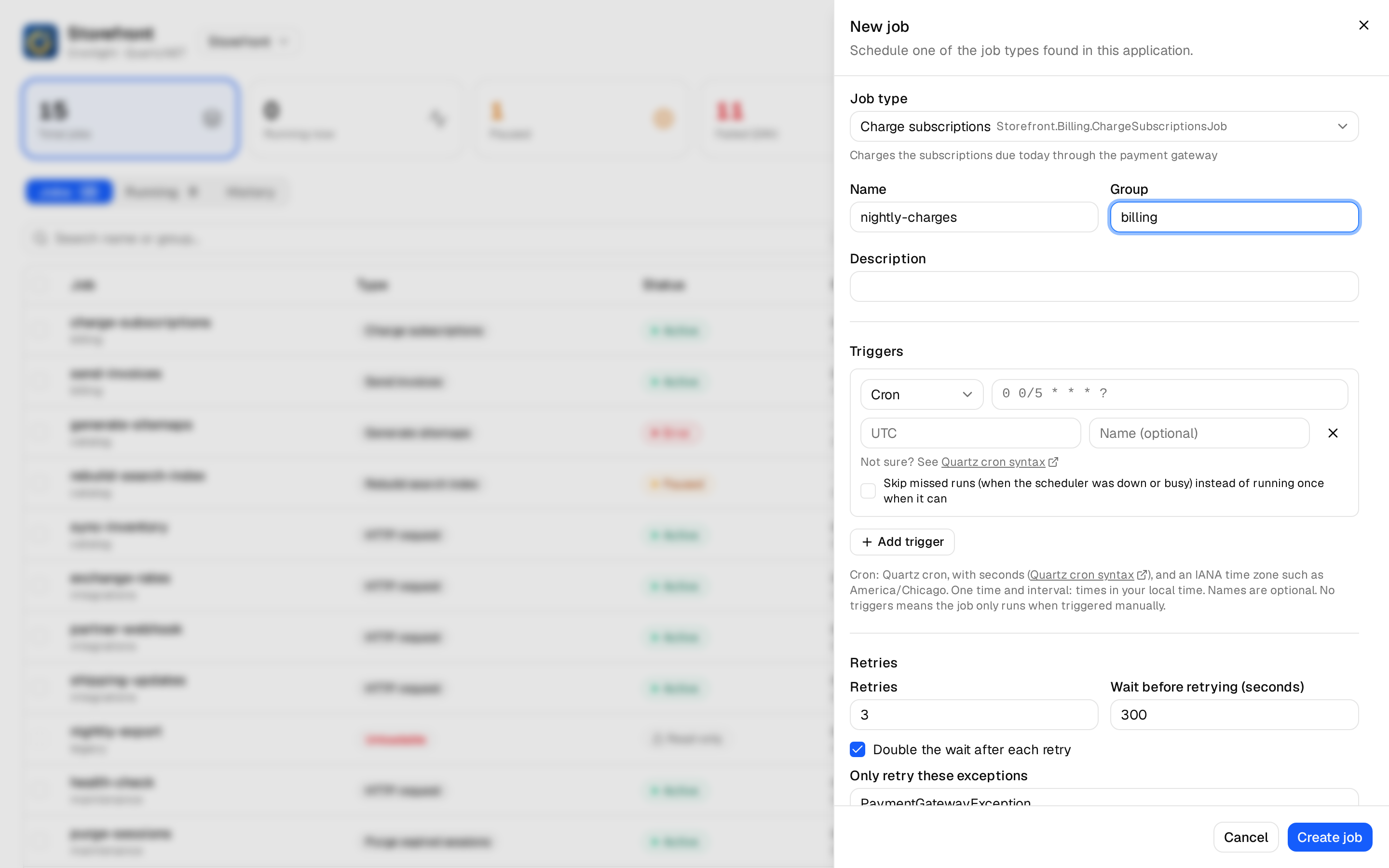
History and run logs
Every run with its outcome, error and duration, misfires and late starts, filtered by outcome or job. Open a run’s log to see what the job logged while it ran, or run it again.
In the docs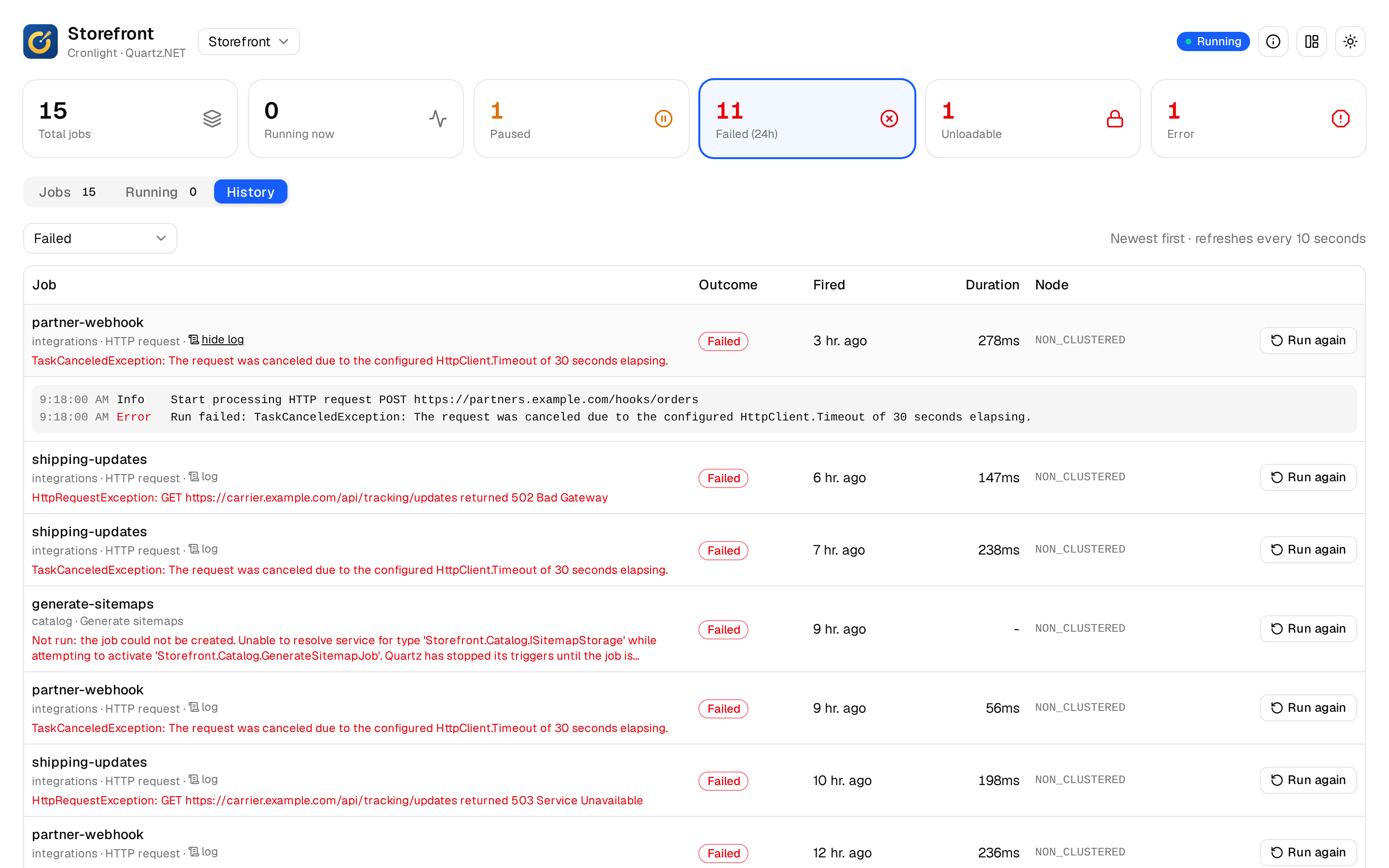
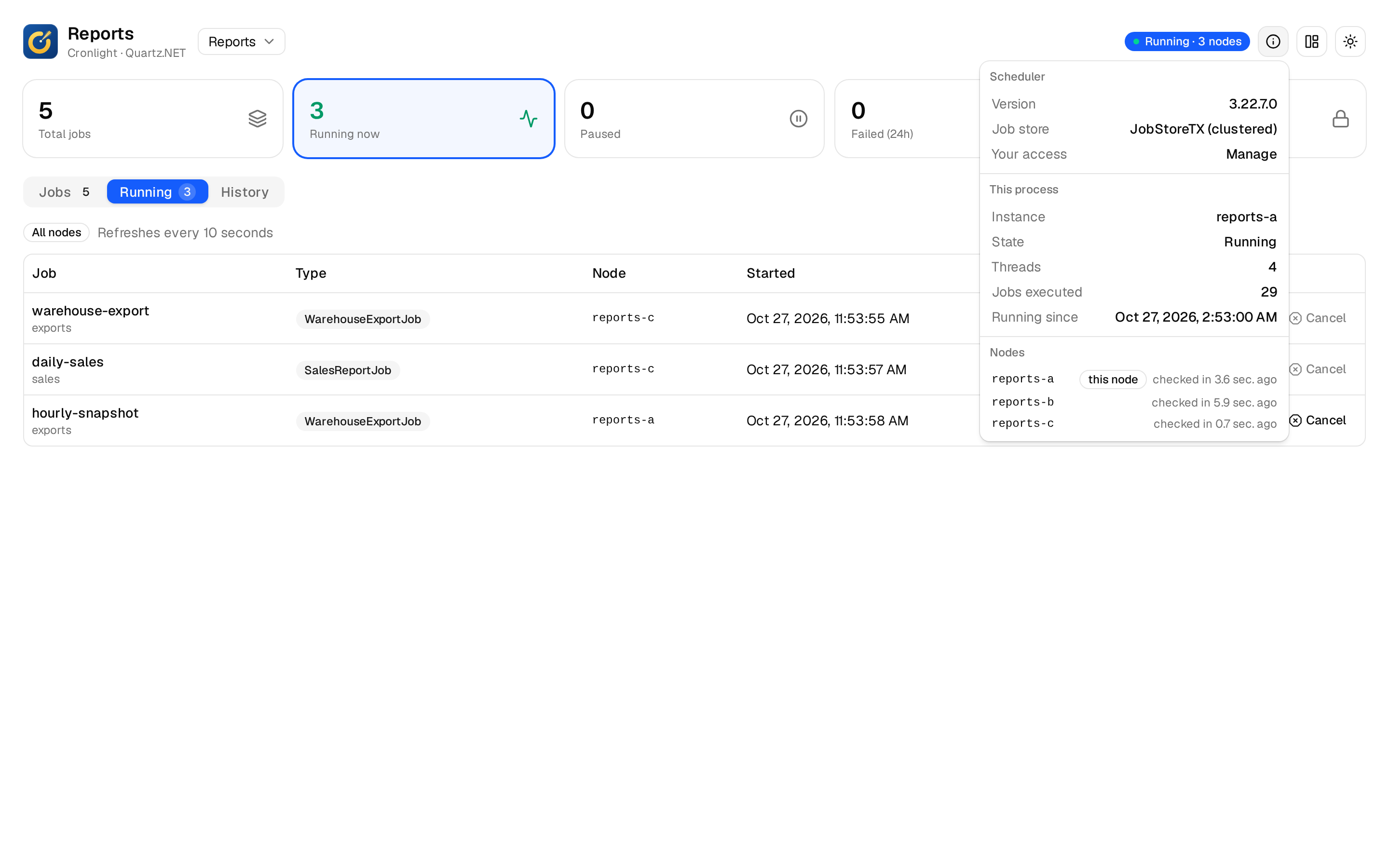
What is running
Every run in progress, on every node of a cluster, and for how long. Cancel a run if the job observes its cancellation token.
In the docs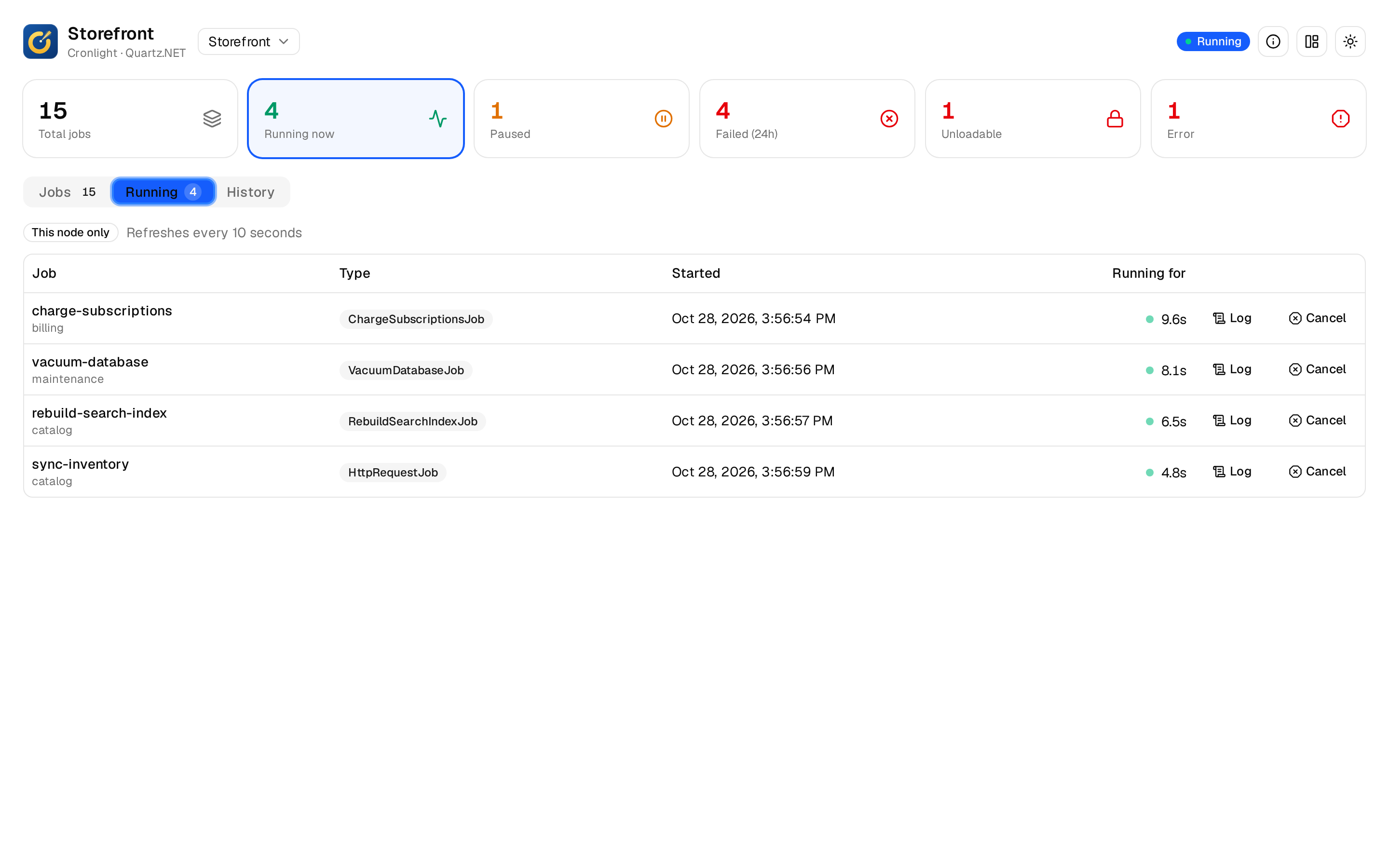
Several schedulers, and clusters
Pick a scheduler in the header. A clustered scheduler shows its nodes, as they last checked in, and each run names the node that ran it.
In the docs